In practice, these are two different ways of looking at the same world of numbers. In order to make an informed choice for your company, you first need to understand how these two approaches actually differ.
What is a business report?
A report is the most traditional form of data presentation. It usually has a predetermined structure, is prepared periodically (e.g. monthly) and distributed as a PDF file, presentation or spreadsheet. A typical business report contains tables, charts, analyst comments and summaries.
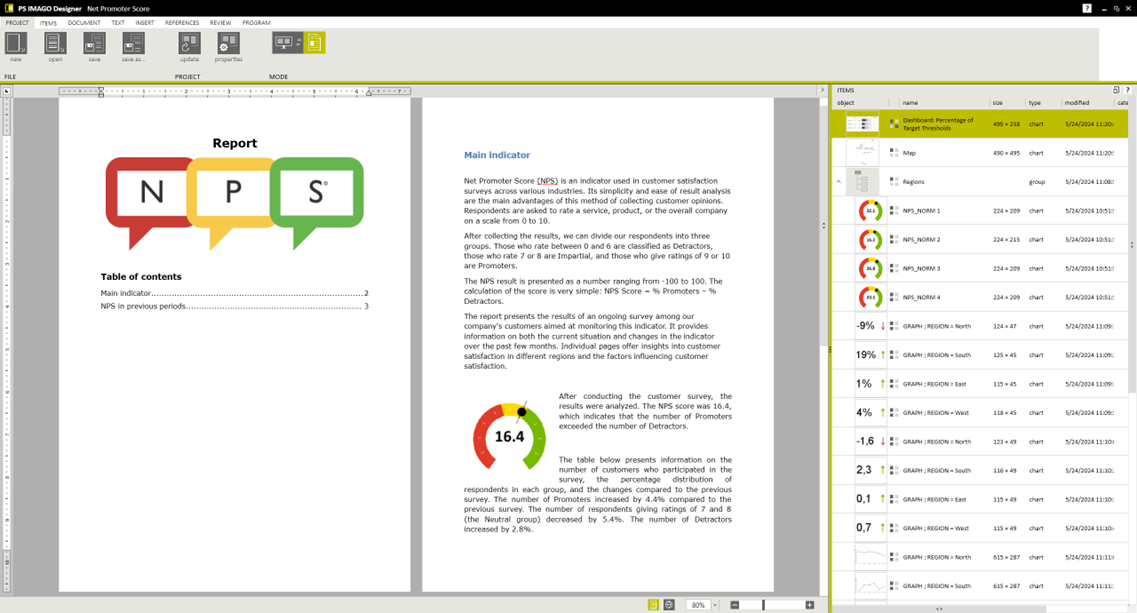
Features of a well-prepared report:
- it goes through the content step by step,
- it is a ‘closed’ document – the user reads it rather than explores it,
- it works well in formal communication: to the management board, audit, regulator, partners.
This format organises knowledge, especially when a company operates on a monthly, quarterly or annual basis. It also allows you to clearly document results, establish a common view of processes and organise indicators.
The report is ideal for decisions requiring a broader context: year-end summaries, customer portfolio reviews, cost analyses, and budget preparation. It is often used in formal communication with management boards, auditors, and regulators.
Dashboard – what is it and how does it work?
This question often comes up during training sessions and project meetings. Simply put, a dashboard is an interactive desktop with key indicators, usually displayed in a browser or application.
It is used to quickly convey the essence of a situation and allow the user to perform a few simple exploratory steps, such as switching periods, comparing regions, or viewing a comment hidden under a specific chart.
How does this work in practice? On a single screen, the user sees several or a dozen or so key figures and charts, e.g. sales results, plan implementation, cost levels, customer satisfaction, resource utilisation. A good dashboard allows you to explore data, select a region, product, channel or other division according to a selected grouping variable.
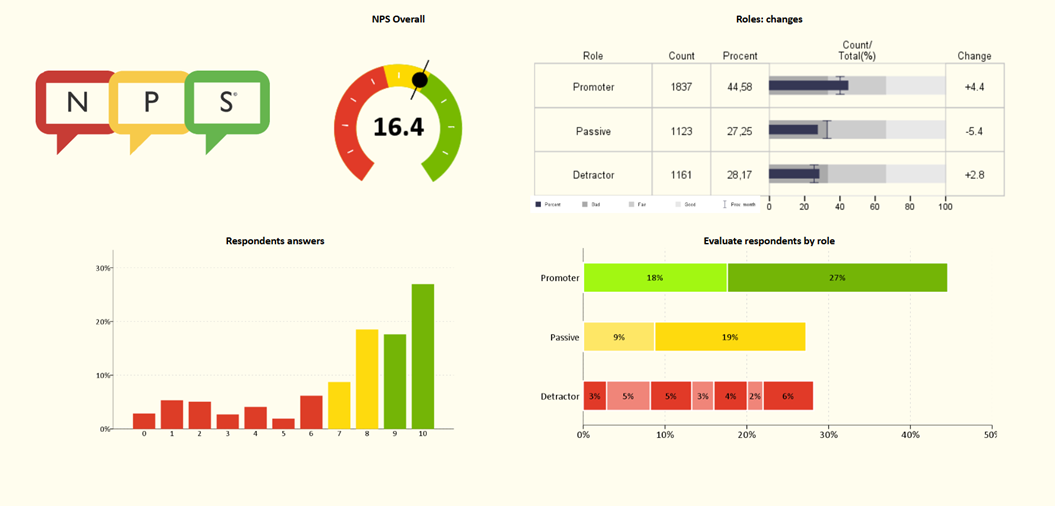
A properly prepared dashboard:
- focuses on a few key metrics,
- uses charts, counters, scorecards, simple tables,
- is arranged so that the user can understand the situation at a glance.
Unlike a report, a dashboard does not usually tell a story step by step. Rather, it is designed to facilitate orientation in the ‘here and now’ within the available data, indicate areas requiring attention, and help identify trends before they become problems. This allows the recipient to focus on the most important figures without having to search through multiple pages of analysis. That is why a well-designed dashboard becomes a practical tool for a manager's daily work – transparent, intuitive and focused on quick conclusions.
Reports and dashboards from a decision-making perspective
At first glance, reports and dashboards may contain similar or even identical figures and indicators. However, they differ not only in form but also in their function within the organisation.
Reports are excellent for supporting strategic and formal decisions. They help to close a period, summarise results, document activities and prepare for board meetings.
Dashboards, on the other hand, are better suited to supporting operational and tactical decisions. They are designed to help respond to issues as they arise, before they escalate. In a sales dashboard, a sales manager will immediately see that this week the number of new leads in the online channel has fallen by 40% and that conversion in a specific region deviates from the average. They can then ask ‘why’ and send a salesperson into the field, change the campaign budget or contact a partner.
So, you could say that the report helps you understand what happened, and the dashboard helps you decide whether everything is going according to plan.
Is it worth creating dashboards if we already have reports?
The answer to this question is: yes, it is worth it, but not always and not at any cost. The mere fact of having reports is not an argument against dashboards – on the contrary, it is often a good starting point.
A dashboard is not a magical overlay on data or a collection of impressive charts. If it is created without a clear purpose, without understanding the needs of users, it will become just a pretty picture that will stop being opened after a few weeks. Therefore, the key is not only to choose the right tool, but also to determine what decisions it should support.
A simple dashboard created in a spreadsheet is often the first step. For smaller teams, it can be sufficient if the data comes from a single source and there is no need for daily updates. However, it quickly becomes apparent that manually refreshing data, copying files between users and ensuring version consistency becomes a problem.
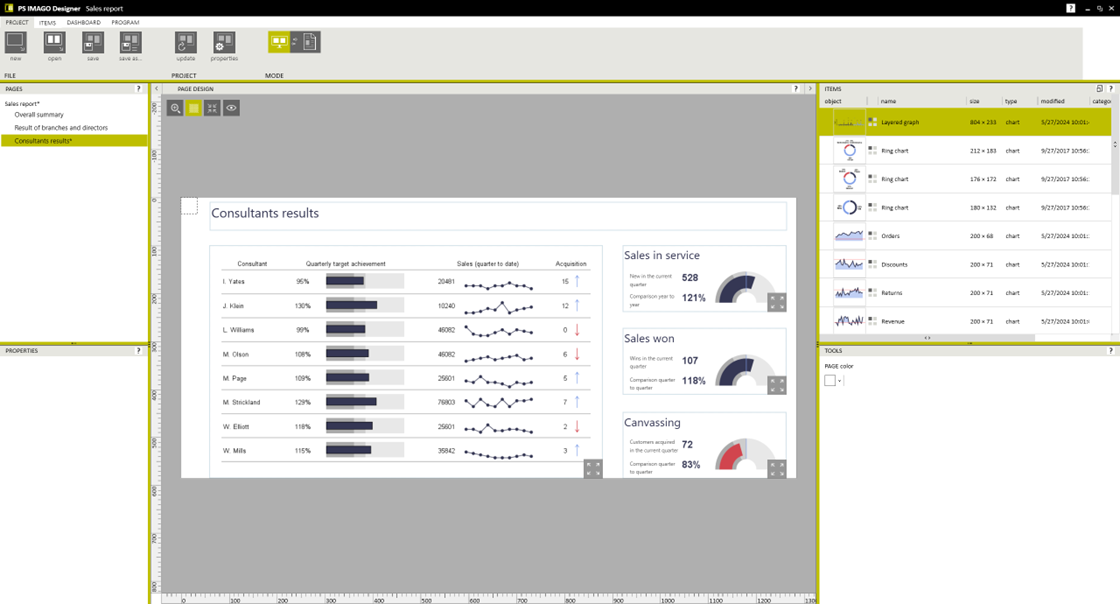
This is where BI and data analytics solutions come into play. Tools such as PS IMAGO PRO allow you to:
- prepare a classic report with full commentary, tables and charts,
- define a dashboard based on it – one or more pages with the most important views, designed for the manager's daily work,
- determine what interactions are available: the ability to ‘drill down’ into the details of the results, view them broken down by segment, display additional descriptions when clicked, etc.
Summary: which supports decisions better – a dashboard or a report?
There is no single answer as to which form is ‘objectively better’. Reports and dashboards serve different roles and work best when they are well suited to the stage of the decision-making process.
A report organises knowledge, tells the story of the data, and documents conclusions. A dashboard allows you to quickly get an overview of the situation and focus on a few key metrics. Each works best in a different context, so the choice should not be based on the format itself, but on the needs of the audience. If a tool allows them to draw conclusions and take action efficiently, then it is the right choice. So the most important question is: what decisions do we want to support with data – and what form of presentation will the people who make those decisions choose?